

AnyDesk 9.8.1
AnyDesk is a fast, lightweight remote desktop tool for Windows, Mac, Linux, Android, and iOS, known for its smooth performance and simple setup via unique IDs. It uses the DeskRT codec for crisp streaming, offers file transfers, clipboard sharing, and unattended access, with TLS 1.2 encryption for security. The free version supports up to three devices, while paid plans add session recording and remote restarts. It's generally faster and cheaper than TeamViewer for solo users and small teams, though past security issues mean you should keep it updated. Overall, it's a solid pick for quick, reliable remote access.
- Free
- Windows
- macOS
- Linux
- Android
- iOS
- Nov 4, 2026
Screenshots
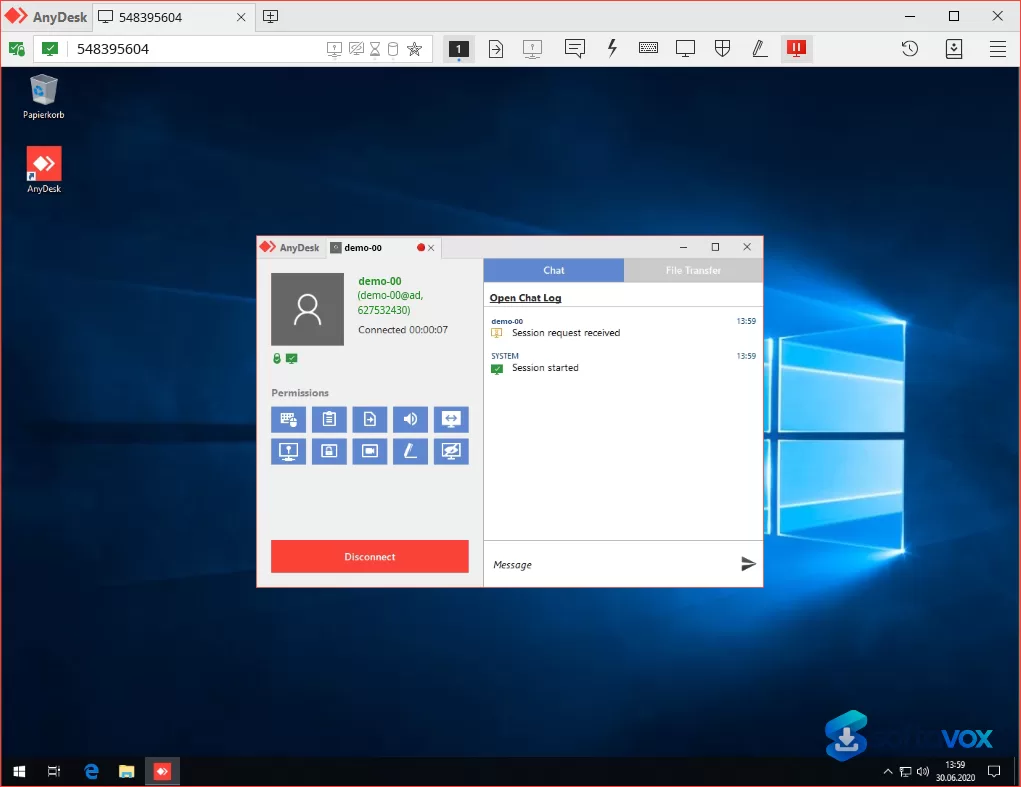
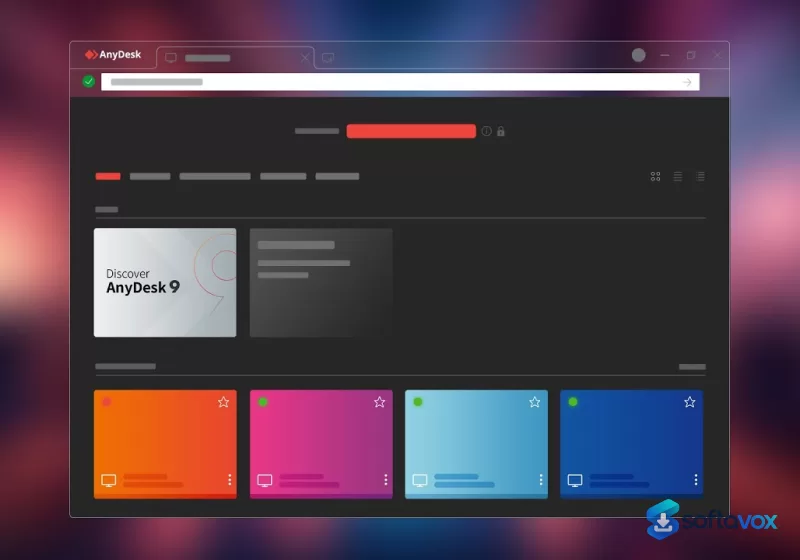
About AnyDesk
AnyDesk Download | Fast, Lightweight Remote Desktop Access
TL;DR Quick Take / Who is this for?
AnyDesk is a remote desktop application built for speed and low resource use, and it remains one of the fastest ways to connect to another computer over an average or unstable network. The client is famously lightweight, setup takes seconds using a simple ID system, and cross-platform support covers Windows, macOS, Linux, Android, and iOS. User satisfaction is genuinely strong in aggregate: Software Advice shows a 4.6 average from 1,800 reviews with 87% of users recommending the product, and Gartner Peer Insights records 4.5 stars from 233 reviews. The catch is the pricing. AnyDesk’s commercial plans have risen sharply, the Solo tier now costs $28.90 per month billed annually, up from $14.90 in 2024, and the Standard tier has more than doubled to $49.90 per month. Renewal complaints and difficult cancellation processes are a recurring theme in verified reviews. The bigger concern in 2026 is security context: phishing campaigns abusing legitimate remote access tools surged 475% in the first nine months of the year, and AnyDesk is one of the most frequently impersonated tools in tech-support scams. AnyDesk is the right pick for individuals and small IT teams who need fast, reliable remote access and are prepared to pay for a commercial licence. It is not the best choice for budget-conscious businesses, anyone who needs a generous free tier for commercial work, or users who are not confident in recognising social-engineering attempts.
Quick Info Box
| License Type | Freemium (Free for personal use; commercial plans from $28.90/month billed annually) |
|---|---|
| File Size | 8.4 MB (Windows installer, version 9.7.15) |
| OS Compatibility | Windows, macOS, Linux, Android, iOS, FreeBSD, Raspberry Pi |
| Latest Version | 9.7.15 (Windows); version numbers vary by platform |
| Developer | AnyDesk Software GmbH (Stuttgart, Germany) |
Key Features & Real-World Usability
AnyDesk’s core advantage is its proprietary DeskRT video codec, which is designed to keep latency low even on connections that would make other remote tools stutter. In practice, users consistently describe the connection as feeling almost instantaneous on average networks, and the lightweight client runs smoothly without taxing system resources. Setup is deliberately simple: you install the app, share the nine-digit address displayed on screen, and the other side connects. There is no account requirement for basic sessions, which makes it easy to help a family member or a colleague without onboarding friction. The feature set scales with the plan. Even the entry-level Solo tier includes unattended access to up to 100 managed devices, file transfer, remote printing, Wake-On-LAN, TCP tunnelling, session recording, and a limited address book. Higher tiers add concurrent connections, larger device limits, central management, custom client generation, SSO, and on-premises deployment options. Security is built on TLS 1.3 encryption with end-to-end privacy, and features like two-factor authentication, access control lists, privacy mode, and session permission profiles are available depending on the licence tier. The limitations are practical rather than technical. The free version is restricted to personal use and caps unattended access, which is a problem for businesses. Performance can degrade on unstable connections or when handling high-resolution displays, and some users report lag during large file transfers. The mobile and admin interfaces also draw criticism for needing refinement compared with the polished desktop client.
- DeskRT low-latency codec: Delivers responsive remote control even on unstable or slow networks, which is the feature users praise most consistently.
- Lightweight 8.4 MB client: Installs and runs without taxing system resources, making it practical for older hardware and quick support sessions.
- Simple ID-based connection: Share a nine-digit address to connect in seconds, with no account required for basic interactive sessions.
- Unattended access (paid): Manage up to 100 devices on Solo, scaling to 2,000 on Ultimate, for access without someone present at the remote machine.
- Cross-platform coverage: Native clients for Windows, macOS, Linux, Android, iOS, FreeBSD, and Raspberry Pi.
- TLS 1.3 encryption and access controls: End-to-end encryption with two-factor authentication, whitelists, privacy mode, and session permission profiles on supported plans.
- File transfer, printing, and Wake-On-LAN: Practical remote-work features included from the Solo tier upward.
- On-premises and custom client options: Higher tiers allow fully private network deployment and branded clients for IT service providers.
Pros, Cons & Community/User Feedback
User sentiment around AnyDesk is positive on performance and increasingly negative on pricing and trust. On Software Advice, the product scores 4.6 overall from 1,800 reviews, with ease of use at 4.7 and value for money at 4.5. Capterra records a 4.6 average from 1,800 reviews, and Gartner Peer Insights shows 4.5 stars from 233 reviews. Reviewers repeatedly highlight the speed and the lightweight design: one verified user described the setup as “incredibly fast” with a simple ID system, and another said the platform “excels in speed and responsiveness, making remote control feel almost instantaneous even on average networks.” Cross-platform support between Windows and macOS is also praised. The complaints cluster around three themes. First, pricing and billing: a verified Capterra reviewer described a subscription that renewed automatically for years with costs rising substantially, and said cancellation was difficult to complete. Another reported continued invoices with fines and interest after explaining their situation. Second, support quality: one reviewer described support resources as “functional but not consistently thorough, leaving some troubleshooting to the user,” and another noted that mobile and admin interfaces need refinement. Third, performance edge cases: users report lag on unstable connections, slow large-file transfers, and occasional connectivity issues. The security dimension is the most serious concern. AnyDesk is legitimate software, but it is routinely abused by scammers who impersonate Microsoft or bank support staff and persuade victims to install it. Phishing campaigns incorporating remote monitoring tools like AnyDesk surged 475% in the first nine months of 2026 compared with all of 2025, with attackers targeting North American financial institutions. Security controls sometimes flag AnyDesk as malicious or PUA because of this abuse pattern, and users need to understand that installing the tool for an unsolicited caller is the actual risk, not the software itself.
Pros
- Fast, low-latency connections even on average or unstable networks
- Extremely lightweight 8.4 MB client that runs without taxing system resources
- Simple ID-based setup with no account required for basic sessions
- Strong cross-platform support across desktop and mobile
- TLS 1.3 encryption with two-factor authentication and access controls on paid tiers
- Unattended access, file transfer, printing, and Wake-On-LAN included from Solo upward
- 4.5–4.6 average ratings across Gartner, Capterra, and Software Advice
- On-premises and custom client options for IT service providers
Cons
- Commercial pricing has risen sharply: Solo is up 94% and Standard up 118% since 2024
- Free version is limited to personal use and caps unattended access
- Subscription cancellation and billing complaints appear repeatedly in verified reviews
- Frequently abused in tech-support scams and phishing campaigns, which can trigger security alerts
- Performance degrades on unstable connections and during large file transfers
- Mobile and admin interfaces are less polished than the desktop client
- No perpetual licence option; all commercial plans are annual subscriptions
Final Verdict & Safe Download Advice
AnyDesk earns a recommendation for one specific job: fast, lightweight remote access that works well on connections where heavier tools struggle. The DeskRT codec delivers on its promise, the 8.4 MB client is genuinely unobtrusive, and the cross-platform coverage makes it practical for mixed-device environments. For individuals helping family or a small IT team managing a modest device fleet, AnyDesk is a capable and responsive tool. The caveats are serious enough to change the decision for some buyers. Pricing has climbed steeply, renewal and cancellation experiences are a recurring source of frustration, and the free tier is not a substitute for a commercial licence. The security context matters just as much: AnyDesk is legitimate software, but it is one of the most abused tools in remote-access scams, and organisations should treat unauthorised installations as a risk. If you need budget-friendly commercial remote access, compare alternatives like RustDesk or Splashtop before committing to AnyDesk’s renewal price. If you value speed above all and can absorb the cost, AnyDesk remains one of the best-performing clients in the category.
- Download only from anydesk.com: The official site is the only trustworthy source for the installer. Scammers frequently set up fake support pages that instruct victims to download AnyDesk from lookalike domains, and third-party download sites may repackage the installer with unwanted software.
- Verify the installer size and version: The Windows installer for version 9.7.15 is approximately 8.4 MB. A dramatically larger file, such as the 1.5–2.0 GB “full working installer” packages circulating on GitHub, is not the legitimate AnyDesk client and should be treated as suspicious.
- Never install AnyDesk for an unsolicited caller: Legitimate banks, Microsoft support, and government agencies do not cold-call and ask you to install remote access software. If someone contacts you and instructs you to download AnyDesk, end the call. This is the single most common scam pattern involving the tool.
- Check your licence tier before commercial use: The free version is for personal use only. Businesses need a paid plan, and using the free tier commercially violates the licence terms.
- Review renewal terms and cancellation process before subscribing: Multiple verified reviewers report unexpected renewals, rising costs, and difficult cancellation. Note the renewal date and test the cancellation flow during any trial period.
- Enable two-factor authentication and access controls: On paid plans, turn on 2FA, configure whitelists, and use session permission profiles to limit what a remote user can do. These controls are the best defence against credential theft and unauthorised access.
Similar software



Key features
- Fast, low-latency remote desktop, proprietary DeskRT codec keeps connections responsive even on average or unstable networks
- Lightweight client, Windows installer about 8.4 MB (version 9.7.15); runs without taxing system resources
- Simple ID-based connection, share a nine-digit address to connect in seconds; no account required for basic sessions
- Cross-platform support, Windows, macOS, Linux, Android, iOS, FreeBSD, and Raspberry Pi
- Unattended access (paid), manage up to 100 devices on Solo, scaling to 2,000 on Ultimate
- TLS 1.3 encryption, end-to-end privacy; two-factor authentication, whitelists, privacy mode, and session permission profiles on supported plans
- Practical remote-work tools, file transfer, remote printing, Wake-On-LAN, TCP tunnelling, and session recording from Solo upward
- On-premises and custom client options, higher tiers support private network deployment and branded clients for IT providers
- Strong aggregate ratings, 4.5–4.6 across Gartner Peer Insights, Capterra, and Software Advice
- Freemium model, free for personal use; commercial plans from $28.90/month billed annually
Frequently asked questions about AnyDesk
Is AnyDesk safe to use?
Is AnyDesk free?
What systems does AnyDesk run on?
What is AnyDesk used for?
How do I update AnyDesk?
How is AnyDesk different from TeamViewer?
What’s new in AnyDesk 9.8.1
Bugfixes
Fixed an issue where clicking the "Enable now" link in a Discovery tile did not enable the feature
Other changes:
Improved login functionality
Versions
| Version | Release date | Platform | File size | |
|---|---|---|---|---|
| AnyDesk 9.8.1 Latest version | Oct 6, 2026 | Windows | 8.6 MB | Download |
Comments about AnyDesk
No comments yet. Share your experience with this program!